Codux Visual IDE: An Innovative Solution for ReactJS Developers
I am a Frontend Developer
In today’s fast-paced world, front-end developers are always in search of new tools and technologies that can help them build user-friendly and interactive websites quickly and efficiently. One such tool that has gained a lot of popularity in recent years is Codux Visual IDE. It is a visual development environment that enables developers to create beautiful and responsive web pages without writing a single line of code. In this blog post, we will take a closer look at Codux Visual IDE and explore its features and benefits.
What is Codux Visual IDE?
Codux Visual IDE is an innovative web development tool that uses drag-and-drop functionality to create responsive websites. It is a visual editor that provides a user-friendly interface to create HTML and CSS code. The tool is designed to reduce the complexity of coding and speed up the development process. With Codux Visual IDE, developers can create visually appealing and responsive websites without having to write complex code.
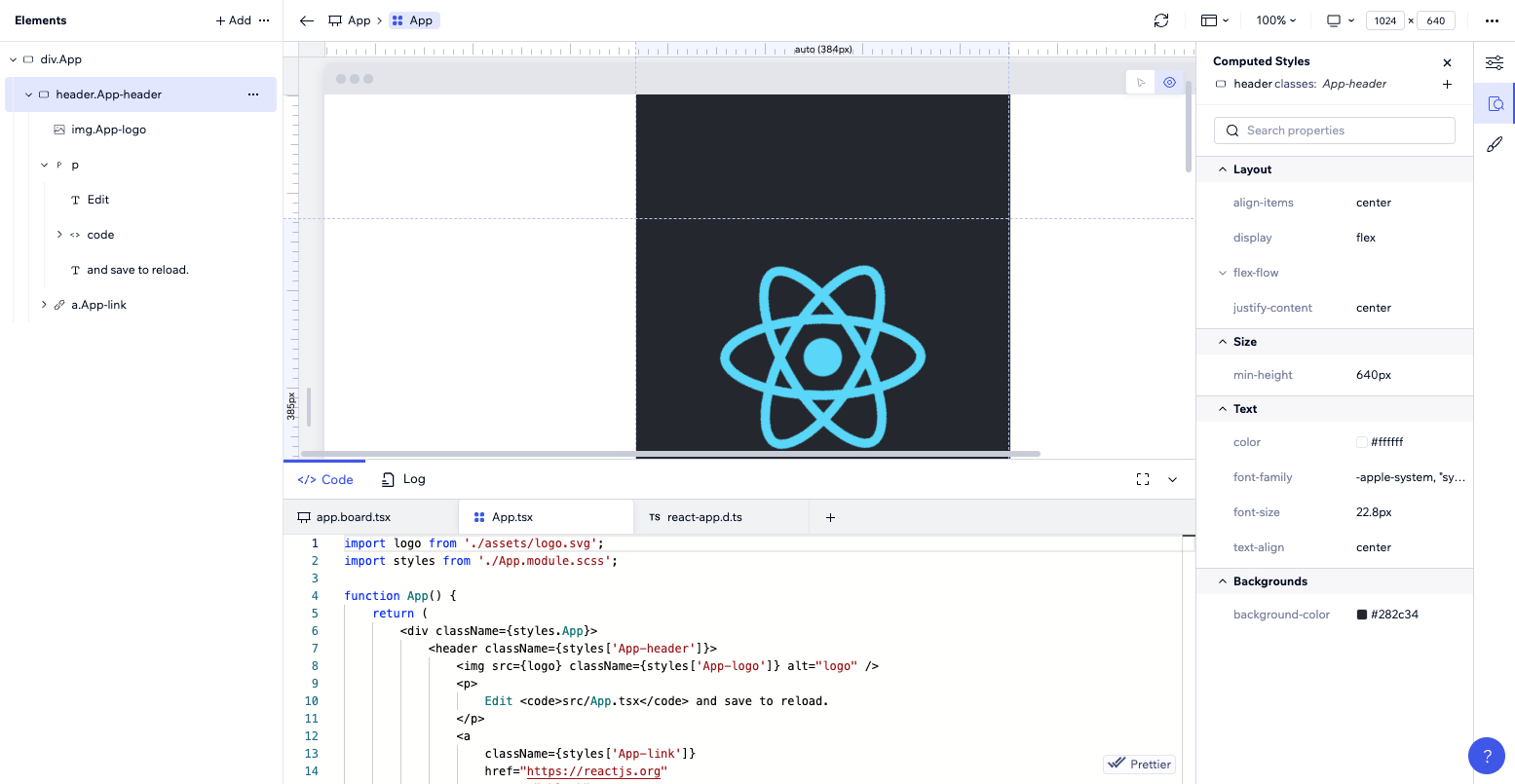
Visit - codux.com
Features of Codux Visual IDE
Drag-and-Drop Functionality: Codux Visual IDE allows developers to drag and drop various elements onto a web page, including text, images, and videos. This feature makes it easy to create responsive web pages without writing any code.
Live Preview: With Codux Visual IDE, developers can see their changes in real-time. The live preview feature enables developers to see how their web pages will look on different devices and screen sizes.
Responsive Design: Codux Visual IDE is designed to create responsive web pages. The tool automatically adjusts the layout and size of elements on a web page to fit different screen sizes and devices.
Code Editor: Codux Visual IDE also includes a code editor for developers who prefer to write code manually. The code editor provides syntax highlighting, auto-completion, and other features to make coding easier.
Collaboration: Codux Visual IDE allows developers to collaborate with team members in real-time. The tool provides a shared workspace where team members can work together on a project.
Benefits of Codux Visual IDE
Faster Development: Codux Visual IDE speeds up the development process by providing a user-friendly interface for creating web pages. With drag-and-drop functionality, developers can create web pages quickly without writing any code.
Easy to Use: Codux Visual IDE is easy to use and requires no prior coding experience. The tool is designed to reduce the complexity of coding and make it accessible to everyone.
Saves Time: With Codux Visual IDE, developers can save time by creating responsive web pages quickly. The live preview feature enables developers to see their changes in real-time, which reduces the time spent on debugging.
Cost-Effective: Codux Visual IDE is a cost-effective solution for front-end developers. It eliminates the need for expensive software and tools, making it an affordable option for small businesses and startups.
Improved Collaboration: Codux Visual IDE allows developers to collaborate with team members in real-time. The shared workspace enables team members to work together on a project, which improves collaboration and productivity.
Conclusion
Codux Visual IDE is an innovative solution for frontend developers. It provides a user-friendly interface for creating responsive web pages without writing any code. With its drag-and-drop functionality and live preview feature, developers can create visually appealing and responsive websites quickly and efficiently. Codux Visual IDE is easy to use, cost-effective, and improves collaboration among team members. If you are a frontend developer looking for a tool that can help you create beautiful and responsive websites quickly, then Codux Visual IDE is definitely worth checking out.